Built for appointment-based work

Every tool your schedule needs.
None of the clutter.

SafeGuard Bookings connects the client booking experience with the daily tools your team uses to deliver great service.

Online booking

Let customers book when the moment is right.

Give every visitor a simple, mobile-friendly path from “I need this” to a confirmed request—without waiting for a callback.
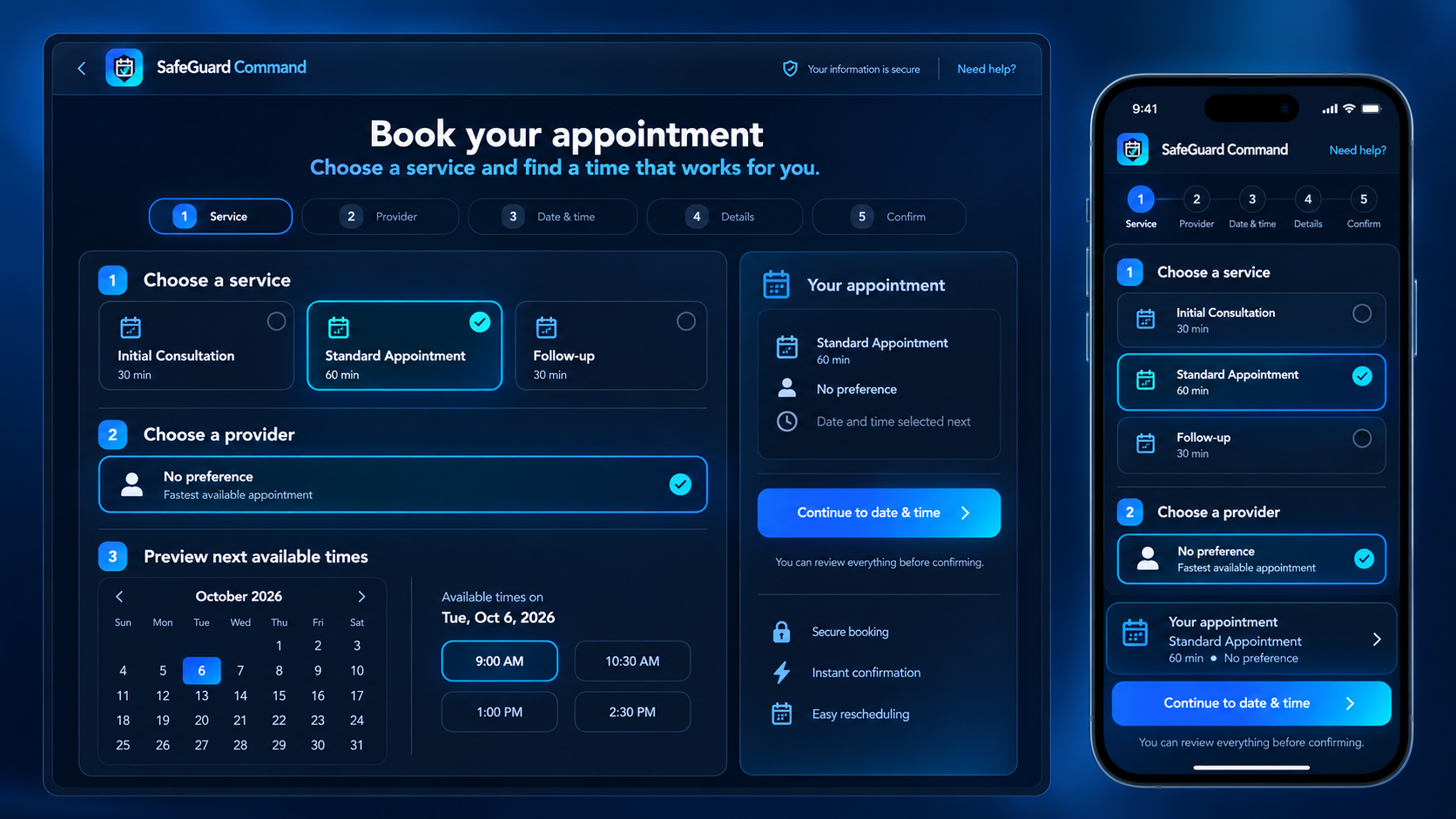
  • Your own booking address and website button
  • Custom logo, cover photo, and colors on Growth and Pro
  • Service-specific customer intake questions
  • Customer waitlist when a preferred date is full
  • Source tracking for website and campaign bookings
Responsive SafeGuard Bookings appointment flow on desktop and mobile View full-size preview
Scheduling and availability

Offer the right time—not just an open-looking time.

Build a schedule around real working hours, staff availability, service duration, and time off so customers see choices your business can actually honor.
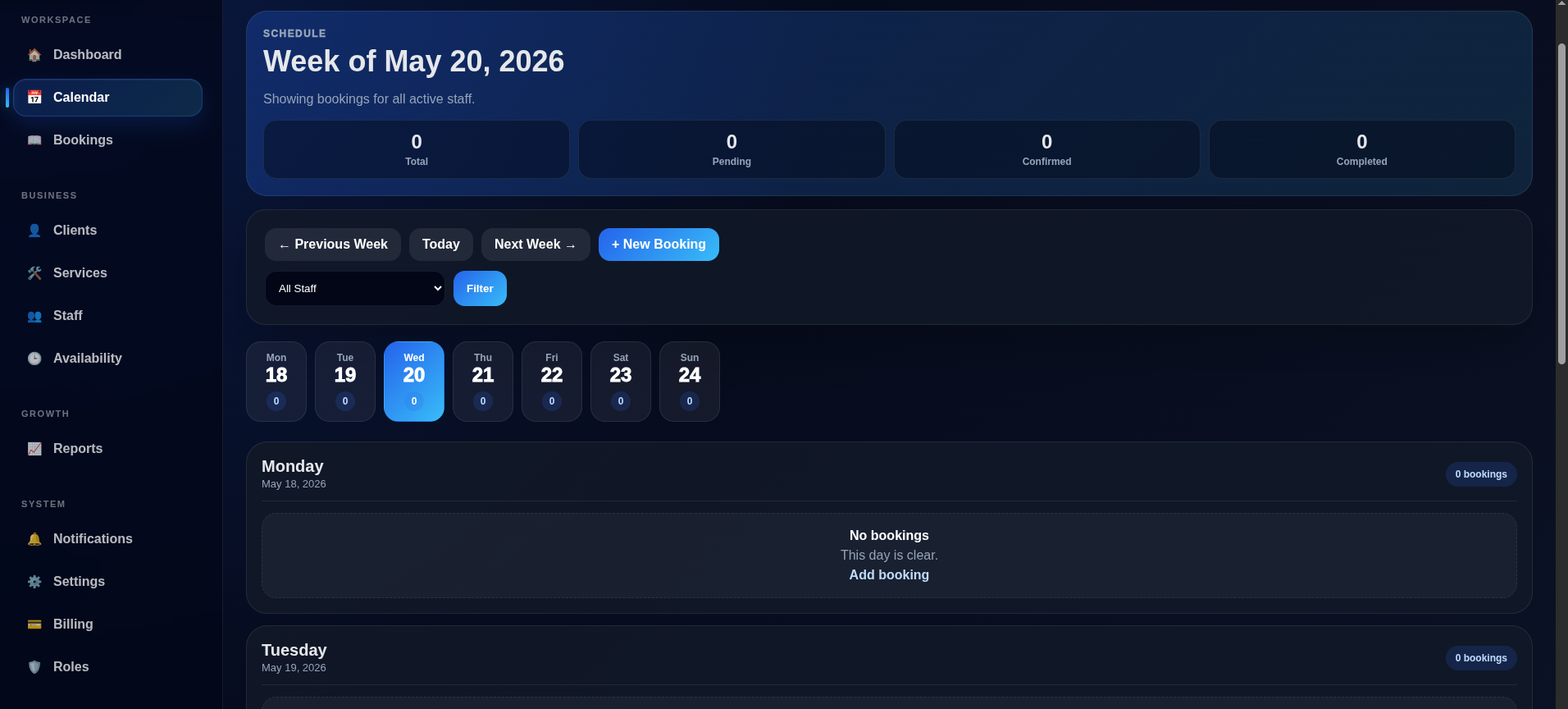
  • Google Calendar and Microsoft Outlook connections coming soon
  • Private Apple Calendar subscription coming soon
  • Weekly recurring appointment series with conflict checks
  • Working hours, time off, service duration, and buffers
SafeGuard Bookings staff appointment calendar View full-size preview
Client management

Walk into every appointment with context.

Keep the important customer details close to the schedule so your team can provide a more consistent experience.

  • Contact information and internal notes
  • Complete appointment history
  • Cancellation and no-show tracking
  • VIP and active-client status
  • Fast access from booking details
AJ
Alex JohnsonActive client · 8 appointments
VIP
Next visit
Oct 8 · 10:00 AM
Service
Signature appointment
History
7 completed · 0 no-shows

Internal notePrefers morning appointments and text reminders.

Dashboard and insights

See the business behind the calendar.

Track the signals that help you make better scheduling, staffing, and service decisions without exporting everything into another tool.
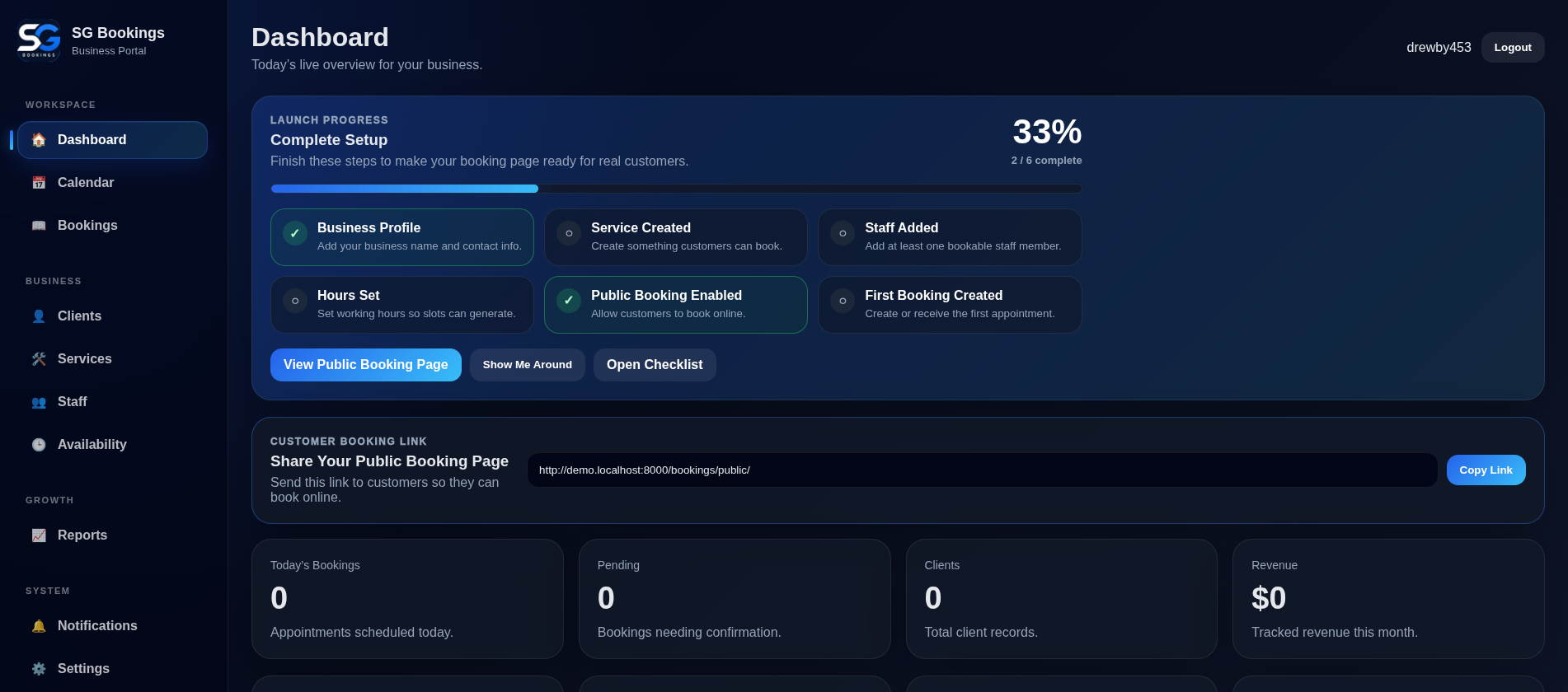
  • Upcoming appointment workload
  • Booking and completion activity
  • Client growth and service demand
  • Revenue and cancellation visibility
  • Launch-readiness guidance
SafeGuard Bookings performance dashboard View full-size preview
Run with confidence

Small details that make the whole system stronger.

Operational controls help protect customer data, keep responsibilities clear, and make setup easier.

01

Role-based access

Give owners, managers, staff, and read-only users access that matches their responsibilities.

02

Email automation

Queue confirmations, appointment reminders, waitlist receipts, and post-visit review requests.

03

Guided onboarding

Know exactly what to configure before sharing your public booking link.

04

Protected workspaces

Email verification, secure logins, isolated business data, and subscription-aware access.

05

Secure billing

Choose a plan and manage billing through Stripe-hosted checkout and account tools.

06

Support when needed

Send account, billing, product, and technical questions directly to the support team.

READY TO BUILD A BETTER BOOKING ROUTINE?

See how it feels in your own workspace.

Start with 14 free days. No payment card required.

Create your workspace